 Zendesk
Table of Contents
The tap-zendesk Singer tap pulls data from Zendesk that can then be sent to a destination using a Singer target.
-brightgreen)







Alternative variants #
Multiple
variants
of tap-zendesk are available.
This document describes the default twilio-labs variant,
which is recommended for new users.
Alternative variants are:
Standalone usage #
Install the package using pip:
pip install twilio-tap-zendeskFor additional instructions, refer to the README in the repository.
Usage with Meltano #
Meltano helps you manage your configuration, incremental replication, and scheduled pipelines.
View the Meltano-specific tap-zendesk instructions to learn more.
Capabilities #
Settings #
tap-zendesk requires the
configuration
of one of the following groups of settings:
These and other supported settings are documented below. To quickly find the setting you're looking for, use the Table of Contents at the top of the page.
Email (email)
#
This is the email you use to login to your Zendesk dashboard. For API Authentication, /token is automatically appended to the email address and is not required in the configuration.
API Token (api_token)
#
How to get #
- Login to your Zendesk dashboard.
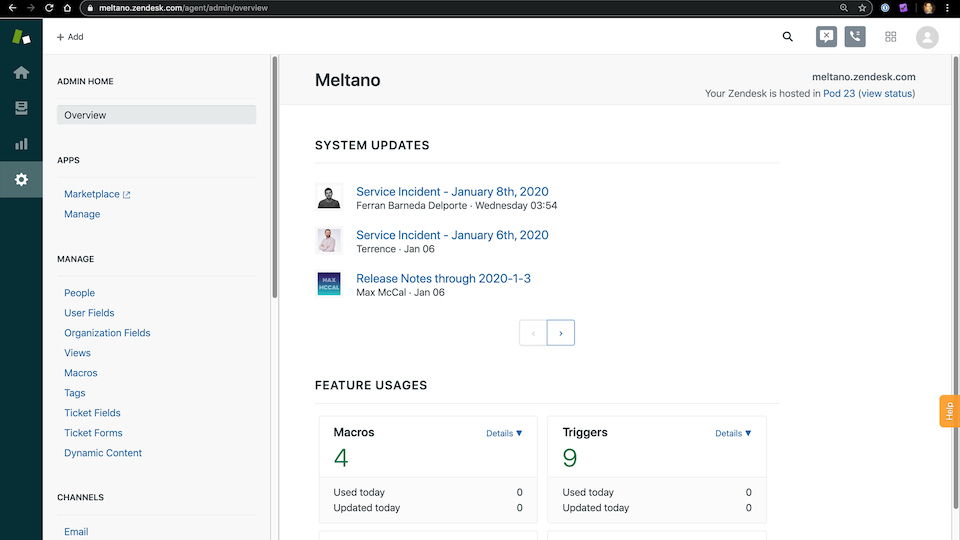
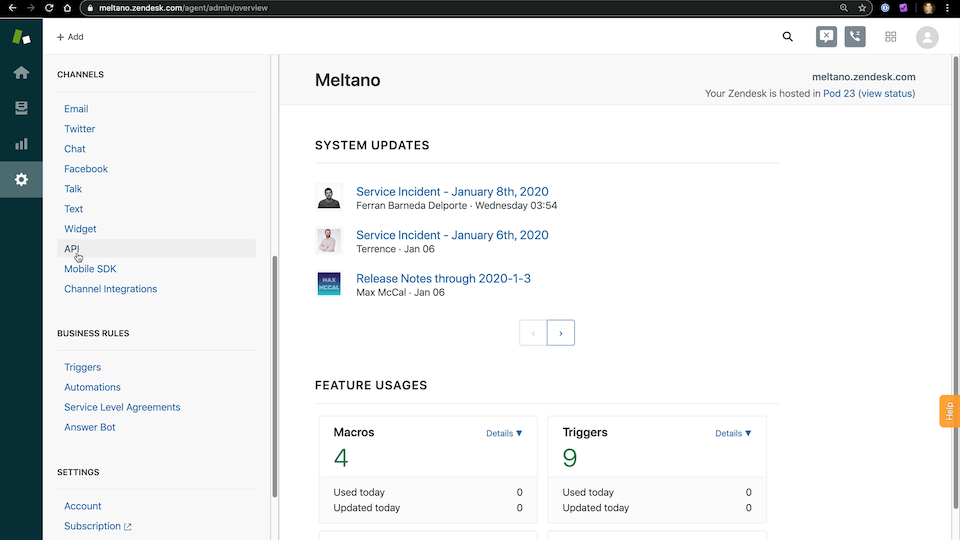
- On the left navigation, scroll down to the
Channelssection to click on theAPIlink. If you don’t see this, your account does not have adequate permissions.
-
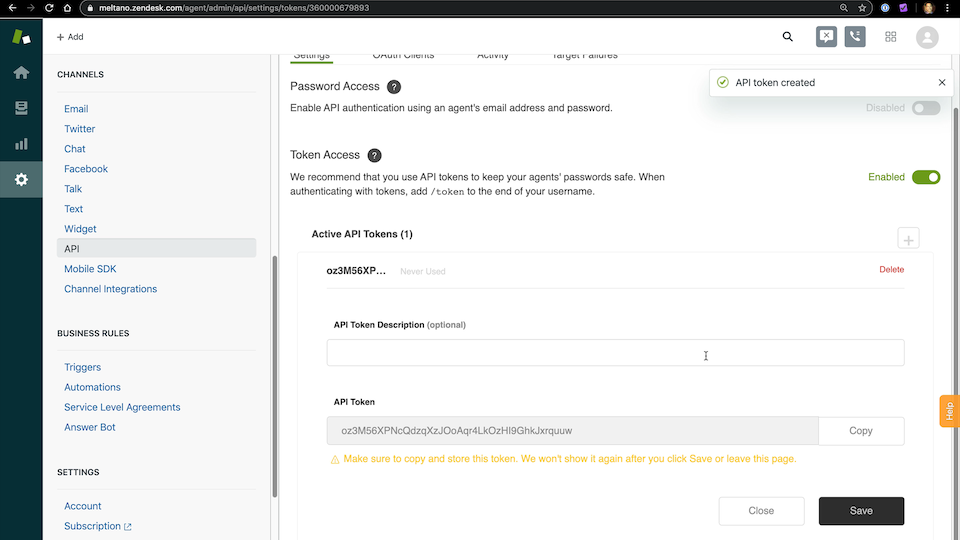
Ensure that
Token Accessis enabled -
Click on the
+button to create a new API token
-
Add
Meltanoas the API Token Description -
Copy the API token since it will not be shown again
-
Click
Savebutton to complete API key creation
Access Token (access_token)
#
To use OAuth, you will need to fetch an access_token from a configured Zendesk integration.
See https://support.zendesk.com/hc/en-us/articles/203663836.
Zendesk Subdomain (subdomain)
#
When visiting your Zendesk instance, the URL is structured as follows: SUBDOMAIN.zendesk.com.
You’ll need this subdomain when configuring the extractor.
For example, if the URL is meltano.zendesk.com, then the subdomain is meltano.
Start Date (start_date)
#
Determines how much historical data will be extracted. Please be aware that the larger the time period and amount of data, the longer the initial extraction can be expected to take.
Looking for help? #
If you're having trouble getting the
tap-zendesk tap to work, look for an
existing issue in its repository, file a new issue,
or
join the Meltano Slack community
and ask for help in the #plugins-general channel.
Found an issue on this page? #
This page is generated from a YAML file that you can contribute changes to. Edit it on GitHub!